
Big-screen countdown
Timing the whole room can read
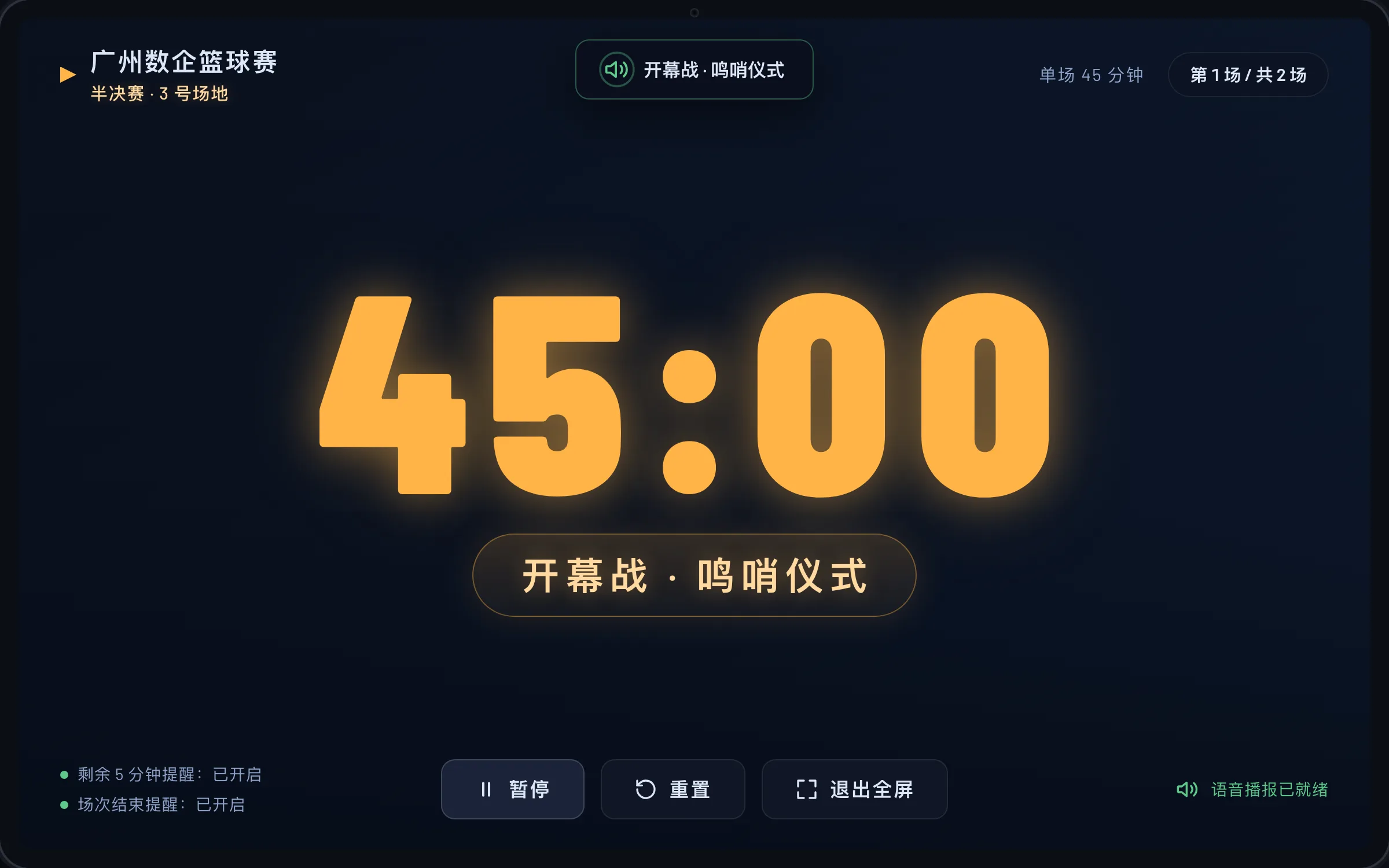
- Digits take up a third of the screen height, readable from five meters
- Digits turn red with a breathing pulse during the warning window
- Preset and custom backgrounds, switchable at will
Big-screen countdown with automatic voice announcements — no more calling out the time by hand
An offline timer app for Android tablets and TVs: extra-large countdown digits readable from five meters away, sessions chained automatically with zero manual operation, and voice announcements for time warnings and session ends. Built on the universal model of "N sessions with individually adjustable durations," it ships a bundled offline Chinese voice engine and suits competitions, defenses, training, performances, and inspections. Runs fully offline with no network permission at all.
Every old problem has a matching answer in Universal Timer
Calling out the time by hand is laborious, distracting, and easy to forget
Automatic voice announcements for remaining time, with customizable message templates
A phone stopwatch on the projector screen is unreadable from the floor
Extra-large digits take up a third of the screen, readable from five meters away
Chaining sessions manually falls apart the moment things get busy
N preset sessions chain automatically — zero manual operation
No network in the venue means online tools go down
Runs fully offline with no network dependency at all
Four capability groups: visible up close, chained automatically, announced clearly, independent of any network
Timing the whole room can read
One session after another, zero manual operation
Bundled offline Chinese engine
Peace of mind with no network permission
The timer screen for the audience · the settings screen for the operator
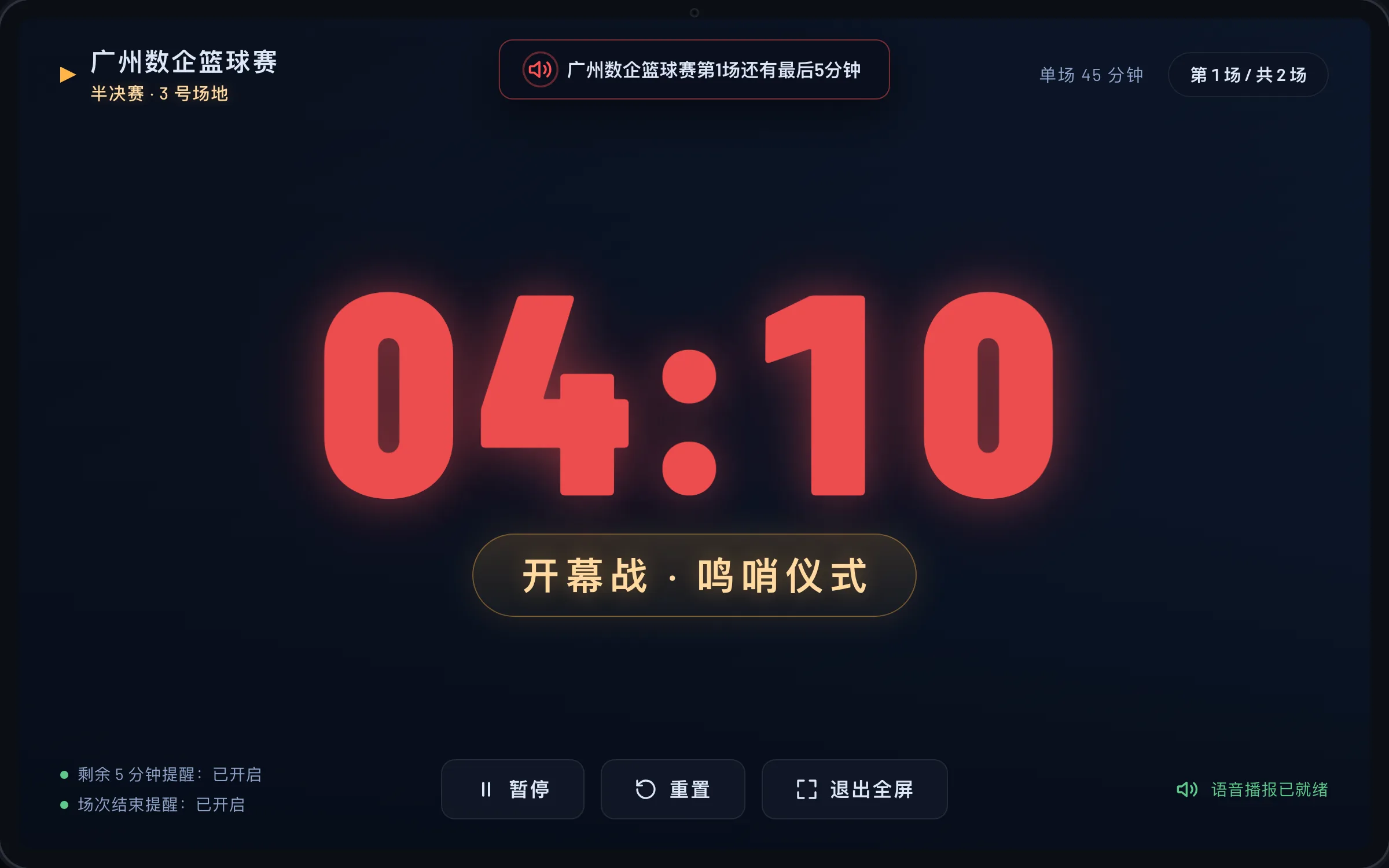

Extra-large countdown · session descriptions · voice warnings
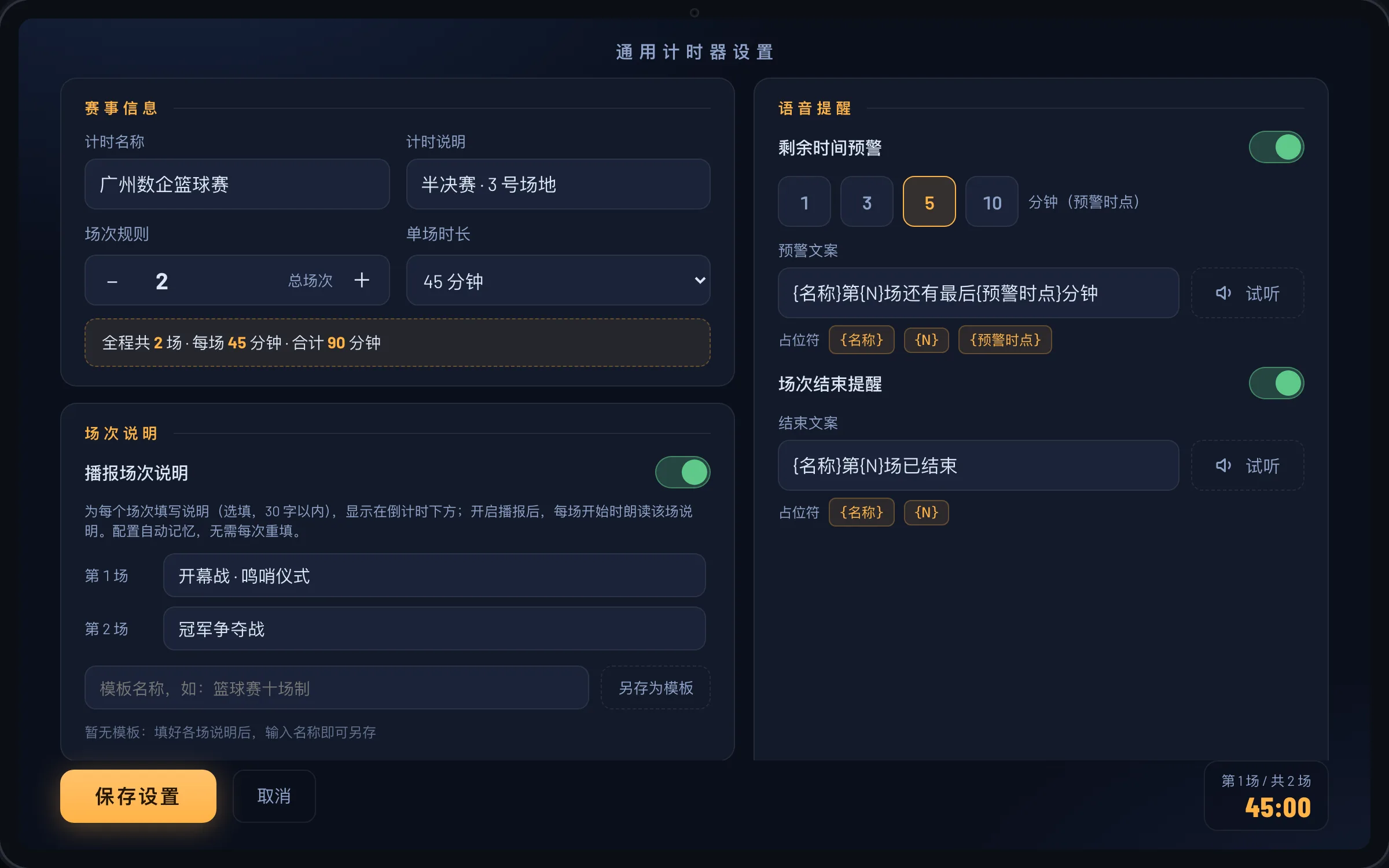
Session setup · announcement templates · per-session descriptions
One "N sessions × individual durations" model covering five kinds of live events
Chain from group stage to finals; escalation rounds get their own durations
Independent timing per presentation and Q&A, with automatic over-time warnings
Rotating groups chain automatically — no one has to watch the clock
Per-act descriptions shown right under the countdown
Point-by-point timing that works in network-free underground venues
Seven questions about getting started, devices, and usage
Contact us for the installation package — sideload it onto an Android tablet or TV box and it works right away, no account needed. A QR-code entry point will also be available once ready.
Any device running Android 7.0 or later. A universal package covers four ABIs (arm64, armv7, x86_64, x86), so both Android tablets and Android TV devices work; landscape large screens give the best experience.
The app requests no network permission and contains no networking code — everything runs locally after installation. The voice engine is bundled inside the app, so basements and shielded venues work as usual.
Yes. The time-remaining warning and session-end announcements are templates with placeholders such as "{name}, session {N}, {warning point} minutes remaining". The voice is a bundled offline Chinese female voice and does not rely on the device text-to-speech service.
Set any number of sessions with individually adjustable durations, or apply one batch duration to all. Each session can carry a description of up to 30 characters shown under the countdown. Built-in templates such as the tavern competition and basketball game apply with one tap for further tweaking.
Shuqi develops and delivers in-house, supporting custom development against your workflow — the timing model, announcement rules, and interface can all be evaluated against your requirements.
See the sports-event timing casePriced per project — contact us for a proposal and quotation. Scope and capabilities are confirmed with you directly; we make no pre-quoted promises.
Contact us for the installation package and a walkthrough, plus configuration advice for your session flow
 Scan for the package Official QR code coming soon